
Simplicity scorecard
Each major workflow is scored 0 to 100 on seven categories. The score is the weighted sum. The overall product score weights each workflow by how often people do it.
Categories and weights#
| Category | Weight | The question it answers |
|---|---|---|
| Configuration simplicity | 20% | How much must the person type, choose or set up that the app could know? |
| Workflow efficiency | 20% | How many steps, screens and waits between intent and result? |
| Navigation and discoverability | 15% | Can someone find it without being told, and get back? |
| UI consistency | 15% | Does it look and behave like the rest of the app? |
| Documentation | 10% | Is there help on the screen that opens the right page and matches the behavior? |
| Error handling and recovery | 10% | When it fails, does the person learn what happened and what to do? |
| Accessibility and onboarding | 10% | Can it be done by keyboard and screen reader, and does a first-timer get through? |
Rubric#
Pick the level whose description fits best, then adjust by up to 10 points for evidence between two levels. Write the evidence next to the score.
| Score | Configuration | Efficiency | Navigation | Consistency | Documentation | Errors | Accessibility and onboarding |
|---|---|---|---|---|---|---|---|
| 100 | Nothing to type or choose beyond the task itself | Shortest possible path; no waits the person notices | One obvious entry point, in the command bar too; back works | Shared components only; same words as elsewhere | Help link on the screen opens the exact section; doc matches | Every failure says what, why, what to do, with Retry and details | Full keyboard and screen reader use; first-timer succeeds unaided |
| 80 | Only choices, each with a sensible default | One extra step or dialog | Reachable in two clicks; one alternative path | Minor deviations (spacing, labels) | Doc exists and is linked; small gaps | Most failures explained; a few raw messages | Keyboard works with small gaps; light onboarding |
| 60 | One typed ID, path or URL that the app could have listed | Several extra steps or a wait without progress | Duplicated or hidden in a tab group; no way back | Own components or words that differ from the rest | Doc exists but not linked from the screen, or out of date | Common failures raw or misleading | Some actions mouse-only; onboarding confusing |
| 40 | Several typed IDs or settings before it works | Detours through other pages | Hard to find; same thing in several places | Feels like a different product | Thin or wrong doc | Failures silent or wrong | Main path mouse-only |
| 20 | Needs work outside the app (scripts, files, admin) | Most of the work is outside the app | Not reachable from the UI | — | No doc | Crashes or hangs | Unusable for some people |
| 0 | Not possible | Not possible | Not in the app | — | — | — | — |
Scores, 2026-10-18 (main 3bee0db)#
Evidence references point at README.md, workflows.md and the matrices. Static means read from code only.
| Workflow | Config 20% | Efficiency 20% | Navigation 15% | Consistency 15% | Docs 10% | Errors 10% | A11y and onboarding 10% | Score |
|---|---|---|---|---|---|---|---|---|
| W1 Install and first run | 70 | 60 | 80 | 70 | 85 | 70 | 60 | 70 |
| W2 Sign in and browse workspaces | 85 | 75 | 70 | 70 | 80 | 45 | 55 | 71 |
| W3 Query a Fabric lakehouse with SQL | 90 | 80 | 70 | 70 | 80 | 55 | 70 | 76 |
| W4 Query files on this PC | 20 | 10 | 0 | 50 | 70 | 30 | 0 | 24 |
| W5 Create and run a notebook on this PC | 90 | 85 | 75 | 75 | 70 | 60 | 65 | 77 |
| W6 Publish or run a notebook in Fabric | 80 | 70 | 70 | 60 | 75 | 60 | 55 | 69 |
| W7 Set up and run a metadata project | 50 | 60 | 55 | 55 | 75 | 60 | 50 | 57 |
| W8 Promote to Test and Prod | 65 | 60 | 50 | 55 | 70 | 60 | 50 | 59 |
| W9 Monitor runs and act on a failure | 90 | 60 | 50 | 60 | 65 | 50 | 50 | 63 |
| W10 Find a feature | 90 | 65 | 50 | 55 | 60 | 70 | 45 | 64 |
Why each score#
- W1 (70). No Python, no app registration, no IDs (
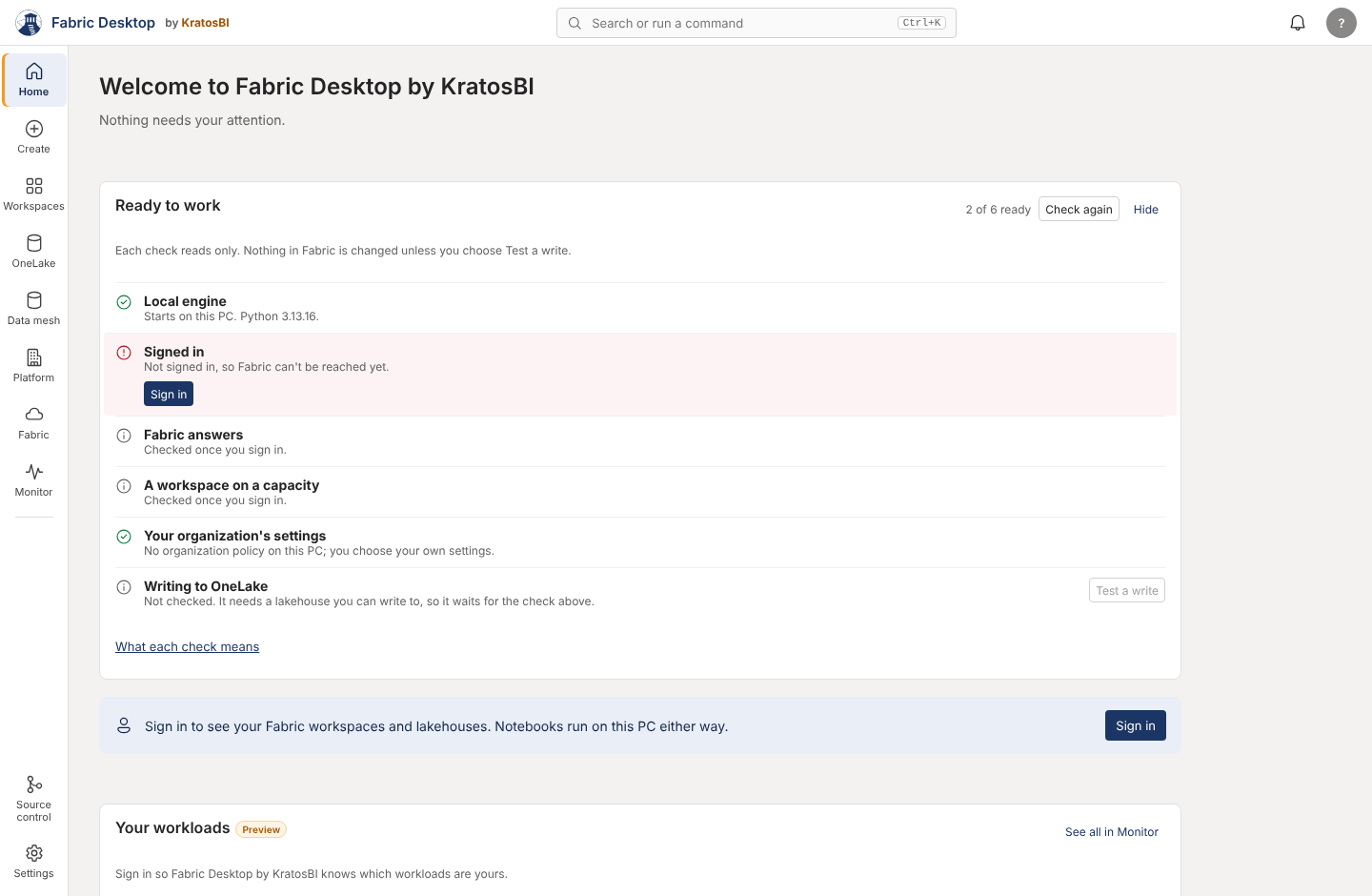
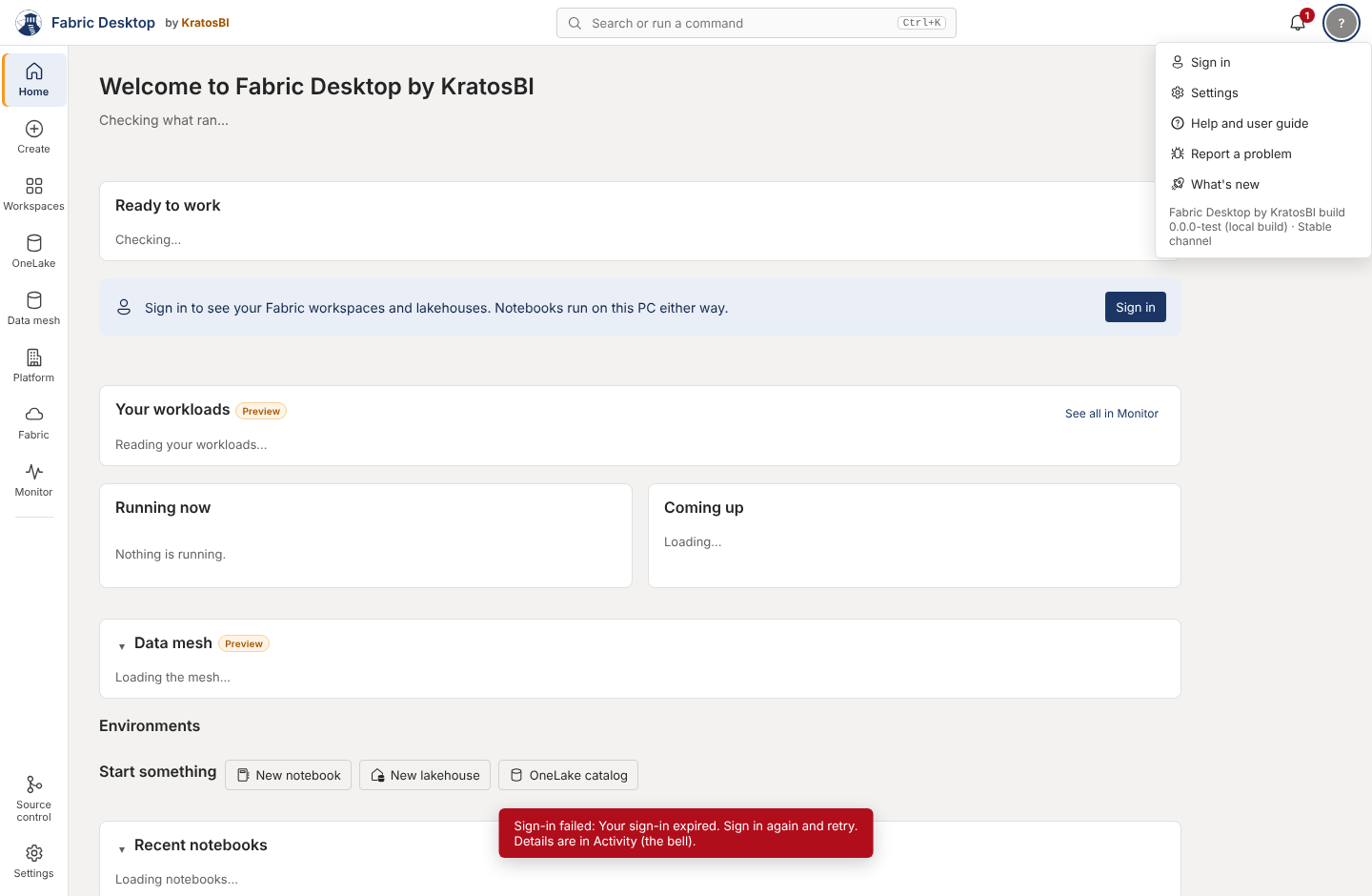
install.md). Lost points: Windows SmartScreen and, on many PCs, Smart App Control must be dealt with outside the app until code signing exists; the first view waits on a network release check (app.js:2619-2622, up to about 10 seconds offline, static); Home then shows Ready to work, a sign-in callout and Get started at once (images/home-first-run.png). The startup dialog itself is good: rows, log, Retry, Smart App Control guidance. - W2 (71). One click to sign in, no tenant or client ID. Lost points: errors (an MFA requirement shows "Your sign-in expired", images/sign-in-mfa-error.png); one account only (
auth.py:136,accounts[0]) with no account switch; a second sign-in for embedded Fabric pages; workspace rows can't be opened by keyboard (app.js:833); the workspace page lists only lakehouses while the inline expand lists everything (app.js:722vs826). - W3 (76). Four clicks, no connection to configure. Lost points: SQL is reachable only from a lakehouse (no "New SQL query" command); the page says both "Spark SQL runs on this PC" and "Queries run on this PC with DuckDB" (
app.js:1223,app.js:1717); errors in the grid are raw (app.js:1303); no help link on the query screen. - W4 (24). The engine works (local-data.md) but has no screen. Score reflects that it can be done only through engine calls or an external AI tool.
- W5 (77). Two clicks from Create, Shift+Enter runs. Lost points: no list of all notebooks (only Home's eight recent and the command bar); no rail item lights on the notebook; no help link on the notebook screen; kernel errors show a log tail (
notebook.js:1134). - W6 (69, Preview). Workspace picker, no IDs. Lost points: "Publish to OneLake" actually creates a notebook item in a workspace (
notebook.js:84,app.js:1974); the Publish menu is mouse-only (showMenu,app.js:172); untested on a tenant. - W7 (57). Lost points: typed folder path with no picker (
meta.js:160); words that assume Fabric internals (LH_Keys, save gate, Type 2, watermark); the rail says Data mesh and the page says metadata project; 13 segments in 5 groups; entity source and key columns typed (meta.js:222-224); Tab is trapped in the TOML editor (meta.js:324). - W8 (59). Workspaces are picked from lists, which is good. Lost points: the environment is chosen in five places (top bar on two pages only, Platform, Monitor, OneLake, Incidents); promote lives three groups deep in Data mesh; rollback is an open PR.
- W9 (63). Lost points: Home says "Nothing needs your attention" when run history fails to load (
app.js:411-412); runs appear in Monitor and in Data mesh > Runs; Monitor has six segments; Fabric job tracking stops after one failed poll (activity.js:167-170); no back from detail pages except their own buttons. - W10 (64). The command bar and the rail limit are strong foundations. Lost points:
nullrows in the command bar; five things called a catalog; two broken header help links; no keyboard shortcut list; menus and the command bar not announced to screen readers.
Overall score#
Frequency weights: W1 15%, W5 15%, W3 12%, W2 10%, W4 10%, W9 10%, W10 10%, W7 8%, W6 6%, W8 4%.
Overall: 64 (significant usability issues).
Category averages across workflows: configuration 73, efficiency 63, navigation 57, consistency 62, documentation 73, errors 56, accessibility and onboarding 50.
Re-scoring#
- After each merge round, list the merged PRs that changed a screen.
- Re-score only the workflows those PRs touch, with the rubric, and write the evidence.
- Add a row to the trend table in README.md.
- A score may only go up with evidence (a screenshot, a test, a file and line). A tenant test that passes moves a Preview workflow's error and documentation scores; it does not move the others.
Need a hand?
Find a fix in troubleshooting, or share a reproducible issue with the community.
Get support ↗Improve this guide on GitHub ↗